Click to search for other posts here on webERP
This is a draft chapter and is not complete.
Selling can be physical goods or intangible services. If you are selling physical goods, you will need stock before selling, either purchasing the stock directly from Suppliers or purchasing raw material to transform through a manufacturing process.
An Enterprise Resource Planning (ERP) system offers significant advantages for sales operations by centralizing customer data, product information, and pricing into a single, unified platform. This integration streamlines the entire sales process, from order entry to fulfillment, by eliminating manual data re-entry and reducing errors. Furthermore, ERP systems provide real-time visibility into inventory levels and order status, enabling sales teams to provide accurate information to customers and manage expectations effectively. The robust reporting and analytics capabilities within an ERP allow for deeper insights into sales performance, customer trends, and forecasting, empowering data-driven decision-making. Ultimately, leveraging an ERP for sales enhances efficiency, improves customer satisfaction, and drives revenue growth through optimized workflows and informed strategies.
Features of using webERP for selling include:
- Efficiency. Items, Customers, Sales Orders, Shipping Orders, etc. are managed within one controlled system. Fix a problem once and it’s fixed everywhere.
- Visibility. Because all data and transactions reside and are performed in a single system, it is also available to all users (subject to security roles and privileges).
- Scalable. Readily scales with users, items, and customers, and can adapt to changing business processes.
This chapter introduces the sales cycle, starting with creating a product with initial stock, and creating a customer. Then a draft sales order or quote is created for the product, the order is confirmed, and then picked and shipped. The customer is invoiced, and finally payment is received. Concepts such as Units of Measure (UOM), Cost Price, Categories and Taxes, and Fiscal Periods are introduced along the way.
The Aircraft Wireless product will be used as an example. Documentation will be stored in the webERP Knowledge Base (integration with WackoWiki CMS).
Goals
- Receive purchase orders from a customer.
- Ship goods to a customer from inventory.
- Receive payment from a customer.
Sales Terms
- A Customer is a party who purchases goods or services from a Supplier.
- A Purchase Order is a request from a purchaser, for a specific item and according to specific terms. The purchase order is generally considered legally binding when the supplier reports the order was accepted.
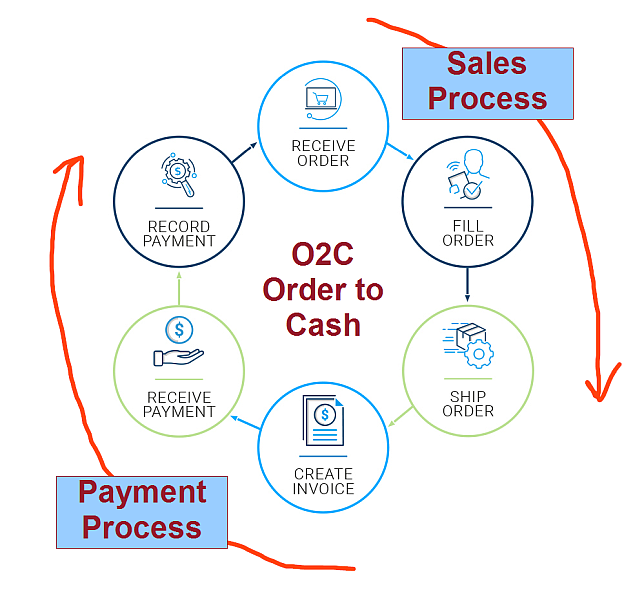
- O2C – Order to Cash – the customer sales and payment process.
Order-to-Cash (O2C) Process
The sales cycle is a sequential process that starts with identifying a prospect or lead, possibly by clicking on an online ad, answering a cold-call, or just walking into your store, progresses to a paying customer, and then repeats.
- Identify lead
- Quote sale of product or service
- Convert the lead to a sale
- Ship goods or perform service
- Invoice customer
- Receive payment
- Repeat
Not all companies and circumstances require all steps, or may change the order of some steps depending on the product and customer.
The high-level sales and payment process cycle is commonly called Order to Cash, or O2C.
webERP Sales and Accounts Receivable
There are five primary tasks associated with sales orders and accounts receivable in webERP.
- Counter Sales
- Create order, invoice and receipt records in one process (order location is “Cash Sales Customer”).
- Order Process
- Enter order > Print order and dispatch note > Confirm quantities dispatched and invoiced > Print invoices and send to customers.
- Produce and Send statements
- Perform during month-end tasks.
- Enter Customer Receipts
- Enter multiple cheques in a one batch or single batch for each transaction listed on a bank statement.
- Allocate Receipts and Credits
- Allocations create exchange differences between invoice rate and payment rate (can be un-done and re-done at any time).
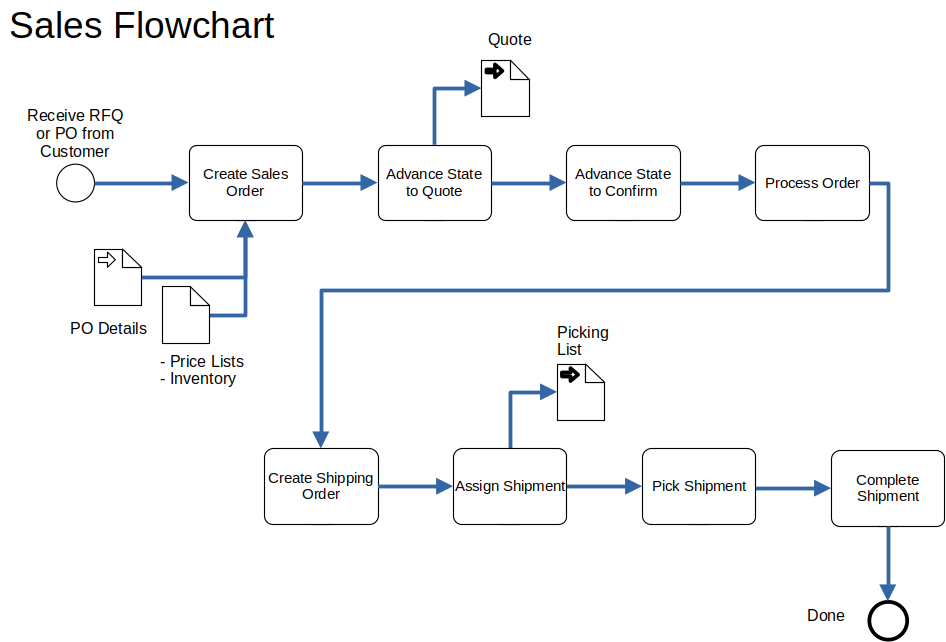
- Step 1. Create a sales order in response to a customer purchase order.
- Step 2. Advance Sales Order to Quototion status (the cost is determined).
- Step 3. Advance Sales Order to Confirmed status (a contract now exists and the order can be processed).
- Step 4. Process order.
- Step 5. Create a Shipping Order to trigger shipping the ordered goods.
- Step 6. Assign and pick shipment.
- Step 7. Complete the shipment, which is a trigger for the invoicing procedure.
TODO correct flow chart per happy path. ignore price lists.
TODO add swim-lane drawing (potentially replace flow chart if superior)
User Permissions
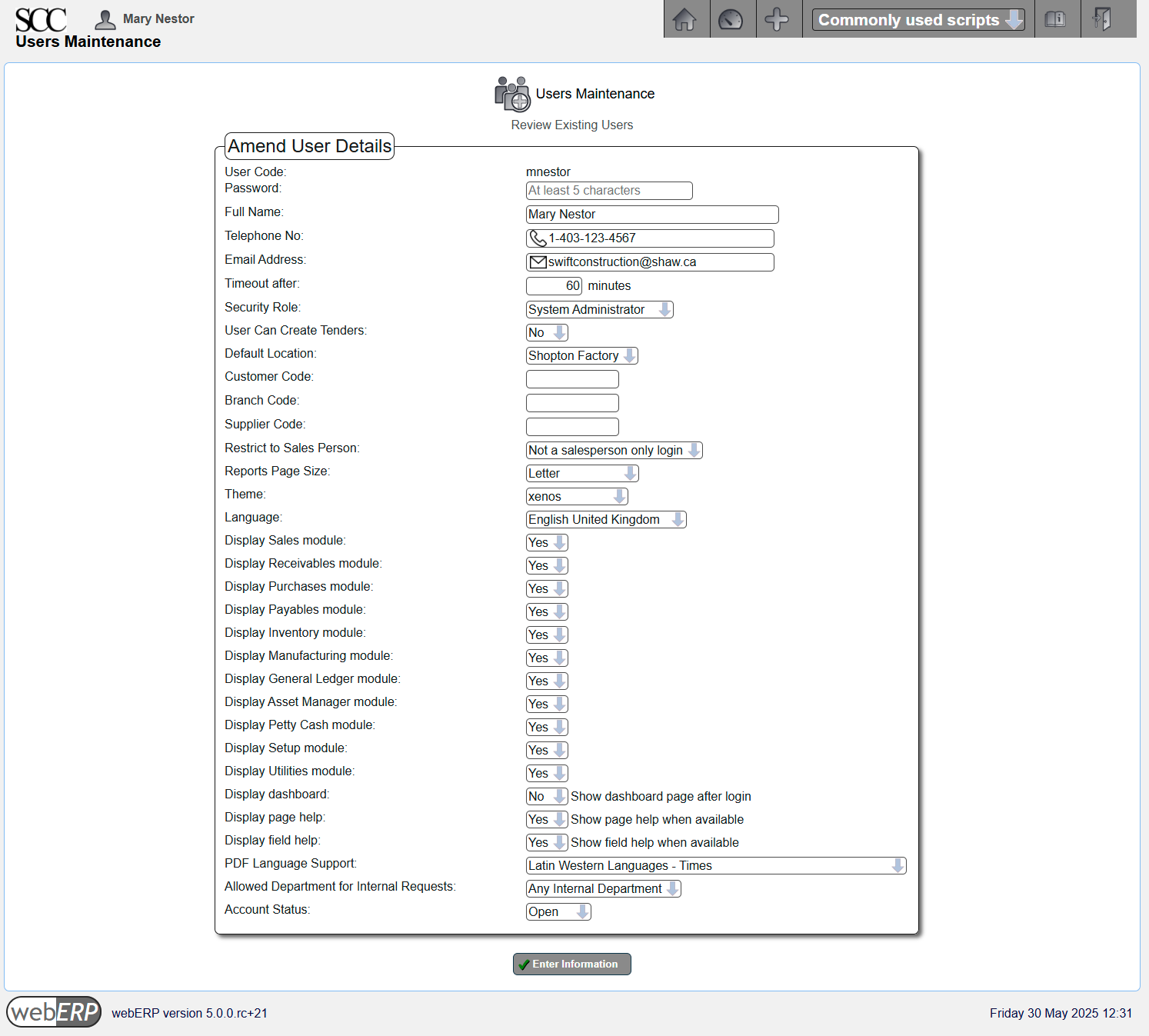
We will login as user “mnestor” (Mary Nestor), who is assigned the Administrator security role and has permission for almost all operations. If a user with a different security role is needed it will be noted.
In actual use each user should have their own login ID and configure a password that only they know. This enabled webWEP to correctly attribute transactions and other events for tracibility. While a single user ID with all security privileges could be used, it circumvents simple role-based user controls that prevent accidental errors. Also any business planning to scale rapidly based on standardized work flows, or that operates in a regulated industry, will require individual user login IDs.
Default (out-of-the-box) security permissions will get you started but you should create bespoke security roles and token assignments based on the structure, staff and roles of your company.
Configuring user permissions is covered in more detail in the webERP User Permissions chapter.
Setup
Before customers can be created the following information is required:
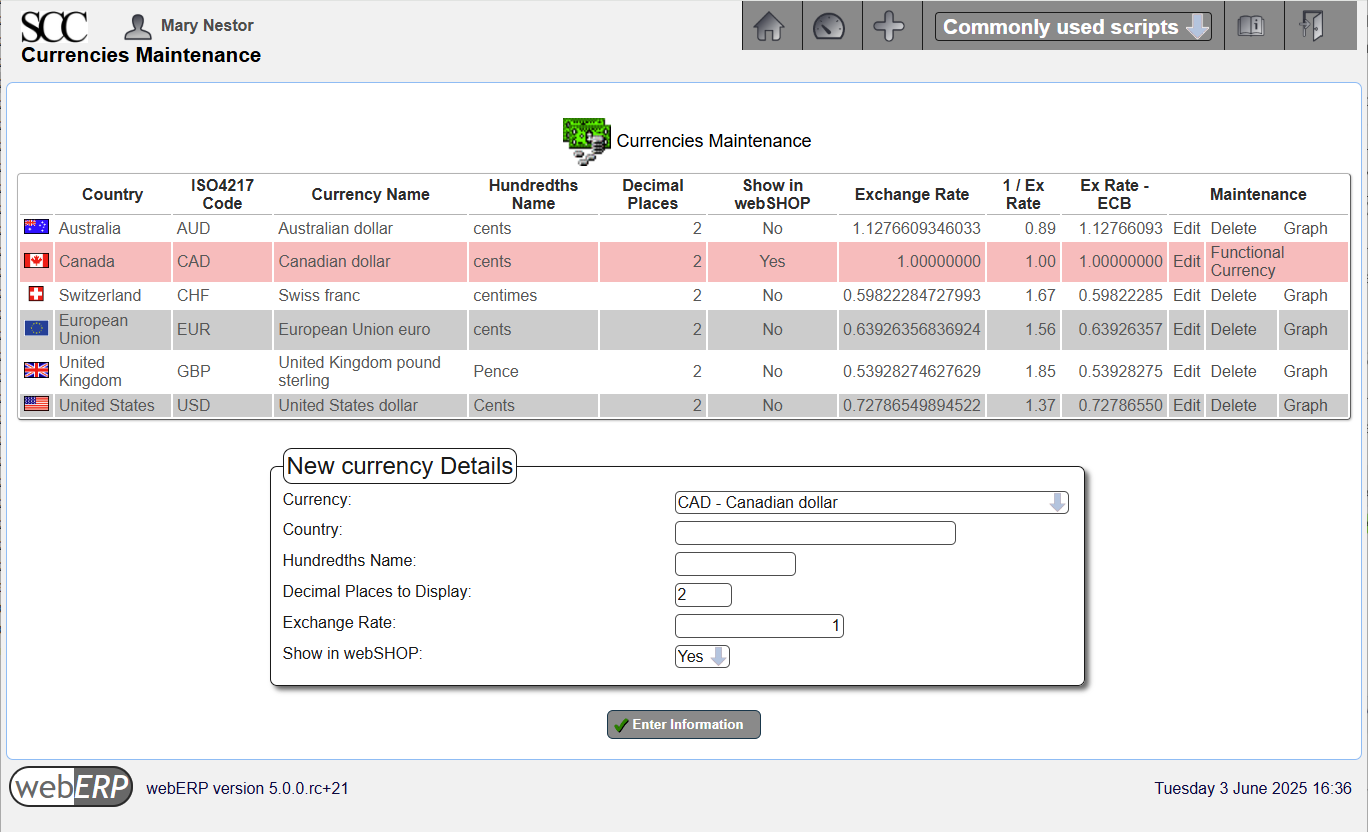
- Currencies – the currency of the customers’ account.
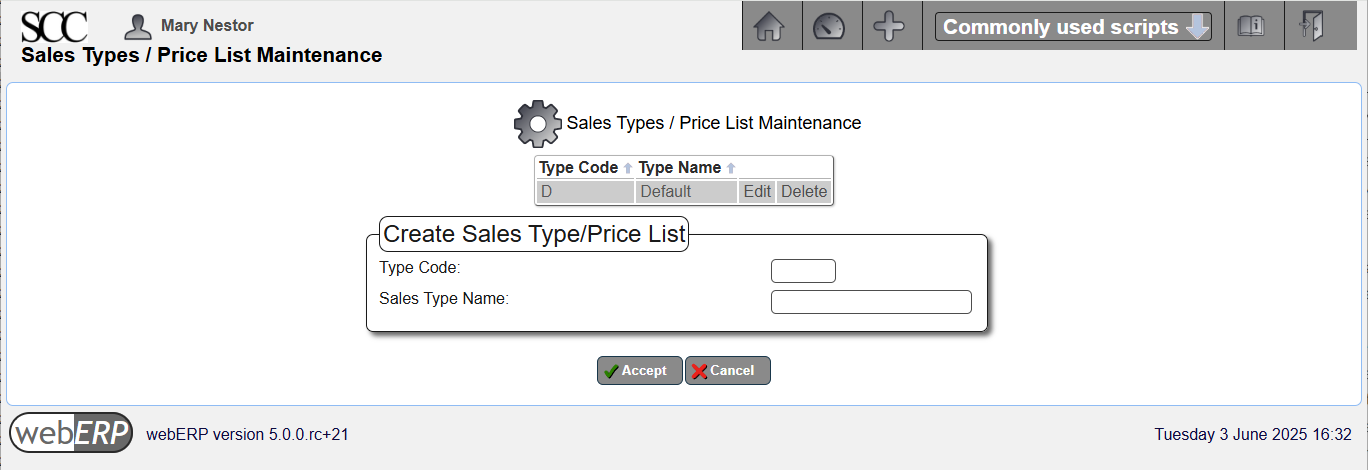
- Sales Types – the sales type is combined with the currency of the customer to determine the price list applicable to the customer. Item prices are held against sales types and currencies, and each customer must reference a sales type. The sales type typically reflects if a sale is a trade sale, retail, wholesale, indent, cash sale, special sale, etc., and as many many sales types as necessary can be created. A Sales Type is required to set an Item Price and scripts may assume at least one Sales Type exists.
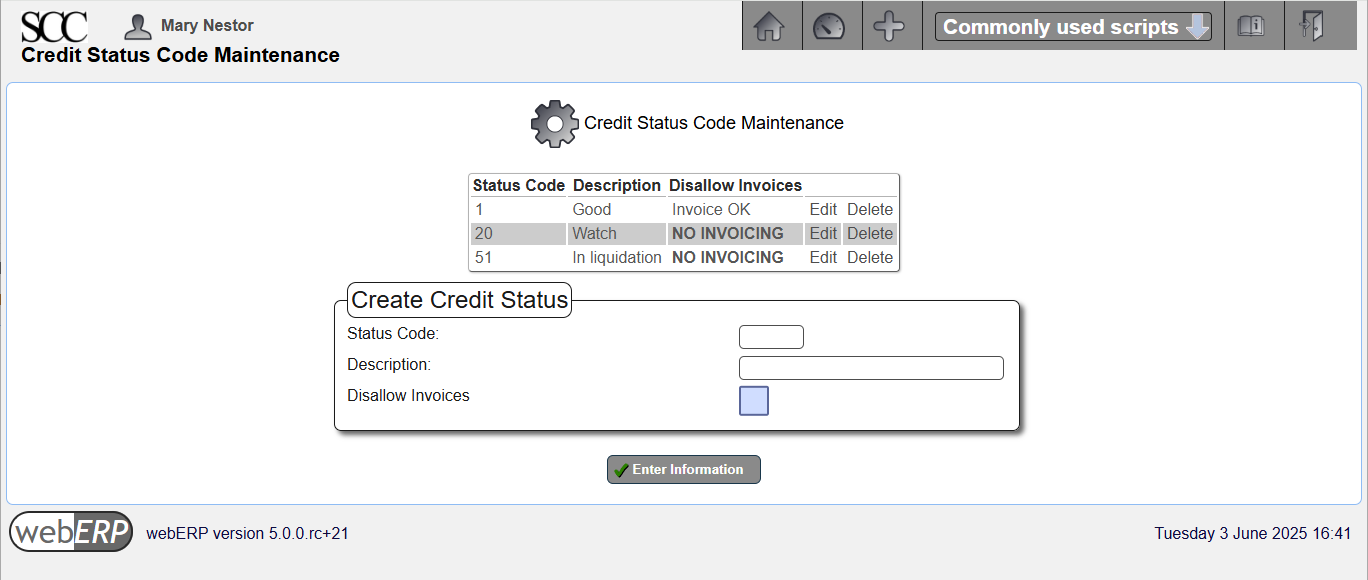
- Credit Status – indicate the credit-worthiness of a customer. Each customer must reference a credit status type and some credit status records can be configured to prohibit invoicing.
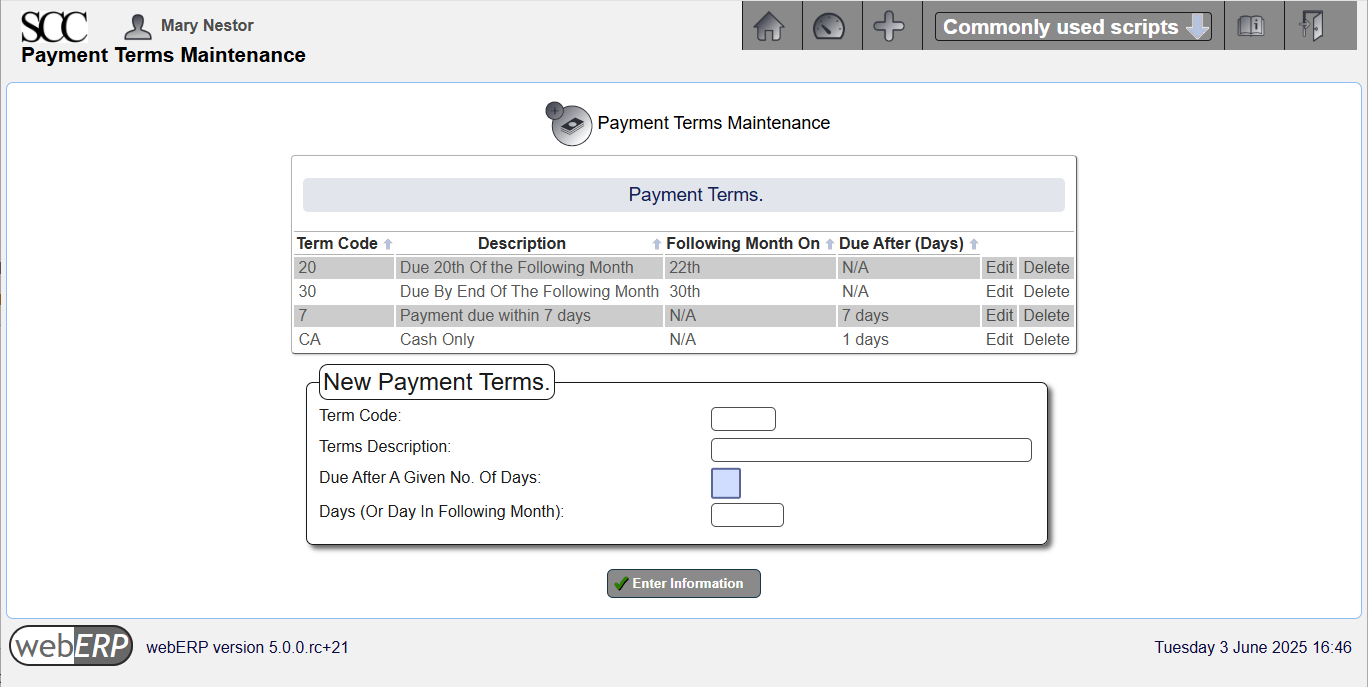
- Payment Terms – terms governing payment associated with a customer. As many terms records as necessary can be defined. The customer must reference a parcular payment terms.
- Tax Groups – the groupings of tax authorities the supplier must collect tax for on customer sales. Each customer branch must refer to a tax group. Sales to these branches will automatically calculate the tax based on where the sale is from and the tax category of the item being invoiced.
A customer must have at least one branch. The branch determines the tax group for where product will be received (typically a specific geographic location or region), and the company location from where product will be supplied (could be the company head office address, but could be a seperate location and even potentially the company warehouse closest to the customer), which taxes may also depend on. In addition, Accounts Receivable requires customer branch information such as delivery address.
The following information must be entered before a customer branch can be created :
- Sales Areas – for reporting and analyzing sales by area. GL integration can be configured to query the area of a customer to determine the GL account for posting sales to. Each customer branch must referance a sales area (define a “Default” area if more specific sales areas are not needed).
- Location – somewhere stock can be held, e.g. a warehouse. Each customer branch needs to refer to the stock location for it to draw stock from.
A sales person must be designated for each company branch who is responsible for managing the sales relationship and takes credit for sales to the branch. If sales people are not necessary for your business, you can define a single salesperson naned “Default” or similar.
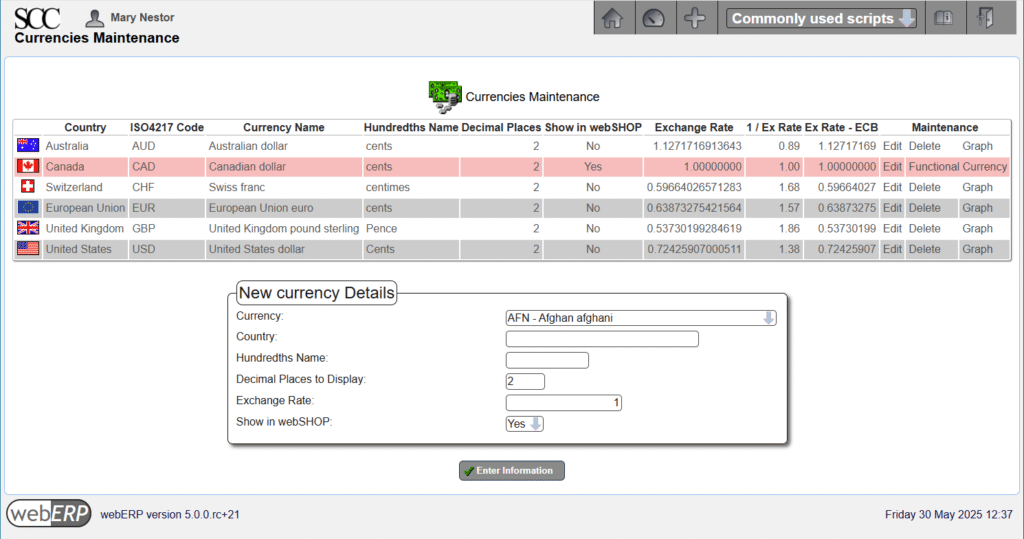
Currencies
Currencies that will be involved in sales and payment processes will need to be configured in webERP before they can be used.
Currency management is first covered in the Configure a company with webERP chapter.
[Main Menu > Setup > General Setup > Currency Maintenance]
Sales Types
[Main Menu > Setup > Receivable/Payables Setup > Sales Types]
Credit Status Codes
[Main Menu > Setup > Receivables/Payables Setup > Credit Status]
Payment Terms
Payment terms are the agreed-upon terms covering payment by the customer. Often the Supplier provides terms with their purchase order, which are accepted when the supplier accepts the customer’s purchase order. If the terms provided with the purchase order are not acceptable to the supplier, they must be negoiated before the purchase order is accepted.
Payment terms are first covered in the Purchasing with webERP chapter.
[Main Menu > Setup > Receivables/Payables Setup > Payment Terms]
Tax Groups
Tax groups are used to determine the taxes owed to a tax authority based on the customer and the location where the goods are received.
Payment terms are first covered in the Purchasing with webERP chapter but selling is more complicated. Tax to be collected can depend not only on the location of the seller but also the location of the buyer and where custody of goods changes.
The first customer for the Aircraft Wireless is B&E Submarines, a Canadian company operating in the province of British Columbia. B&E will be paying in advance for development costs and the first 10 Aircraft Wireless units.
B&E is located in a different province in Canada than the SCC. the SCC will need to collect 5% of a sale to B&E for GST, seperately collect 7% of a sale to B&E for BC PST and remit both to the CRA (the SCC has not registered for BC PST but will do so if the Aircraft Wireless product is a succes, afterwhich will submit BC PST directly to BC)
First, a new tax authority “CAD BC HST” and tax group “CAD BC” (using the CAD BC HST tax authority) and then B&E will be switched to the new group.
[Main Menu > Setup > General Setup > Tax Group Maintenance]

[Main Menu > Setup > General Setup > Tax Authorities and Rates Maintenance]

[Main Menu > Setup > General Setup > Tax Authorities and Rates Maintenance > CAD BC HST > Edit Rates]

[Main Menu > Setup > General Setup > Dispatch Tax Province]

Sales Areas
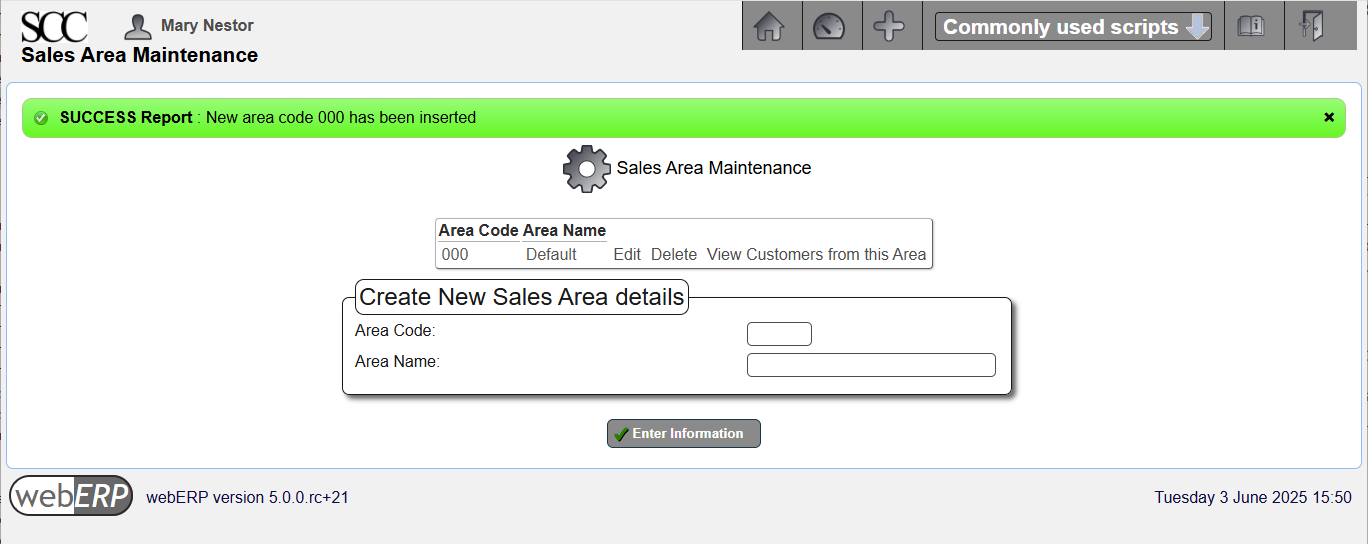
Sales are used when reporting on sales and at least one sales area must be defined.
The SCC creates a 000 (Default) sales area, which will be sufficient for now as the SCC does not require reporting on sales based on area.
[Main Menu > Setup > Receivables/Payables Setup > Sales Areas]
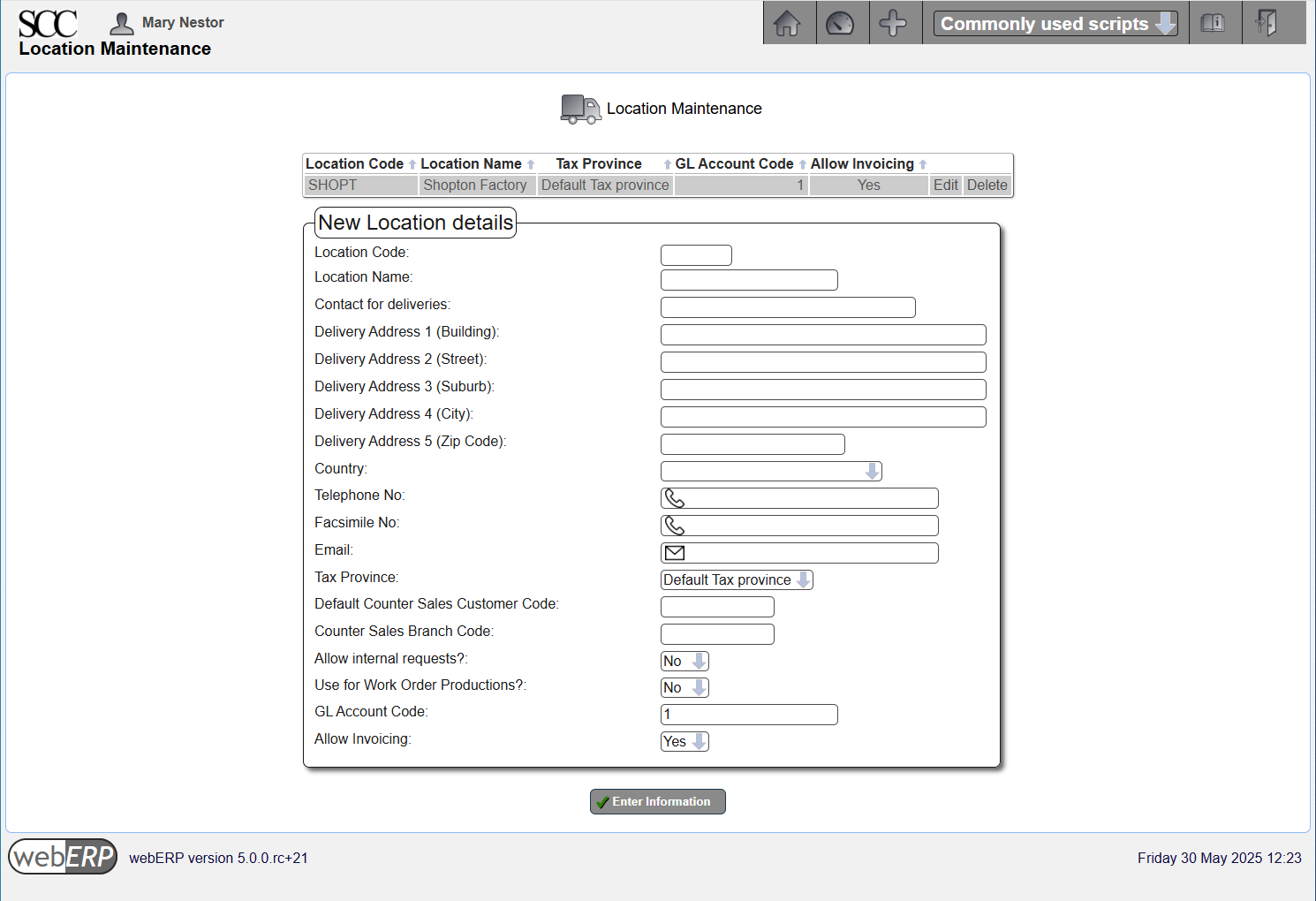
Locations
Inventory locations are locations holding stock for shipping to customers. Taxes may also be calculated based on the inventory location (the assigned Tax Province).
Inventory locations are first covered in the Manage Parts, Suppliers and BOMs with webERP chapter.
[Main Menu > Setup > Inventory Setup > Inventory Locations Maintenance]
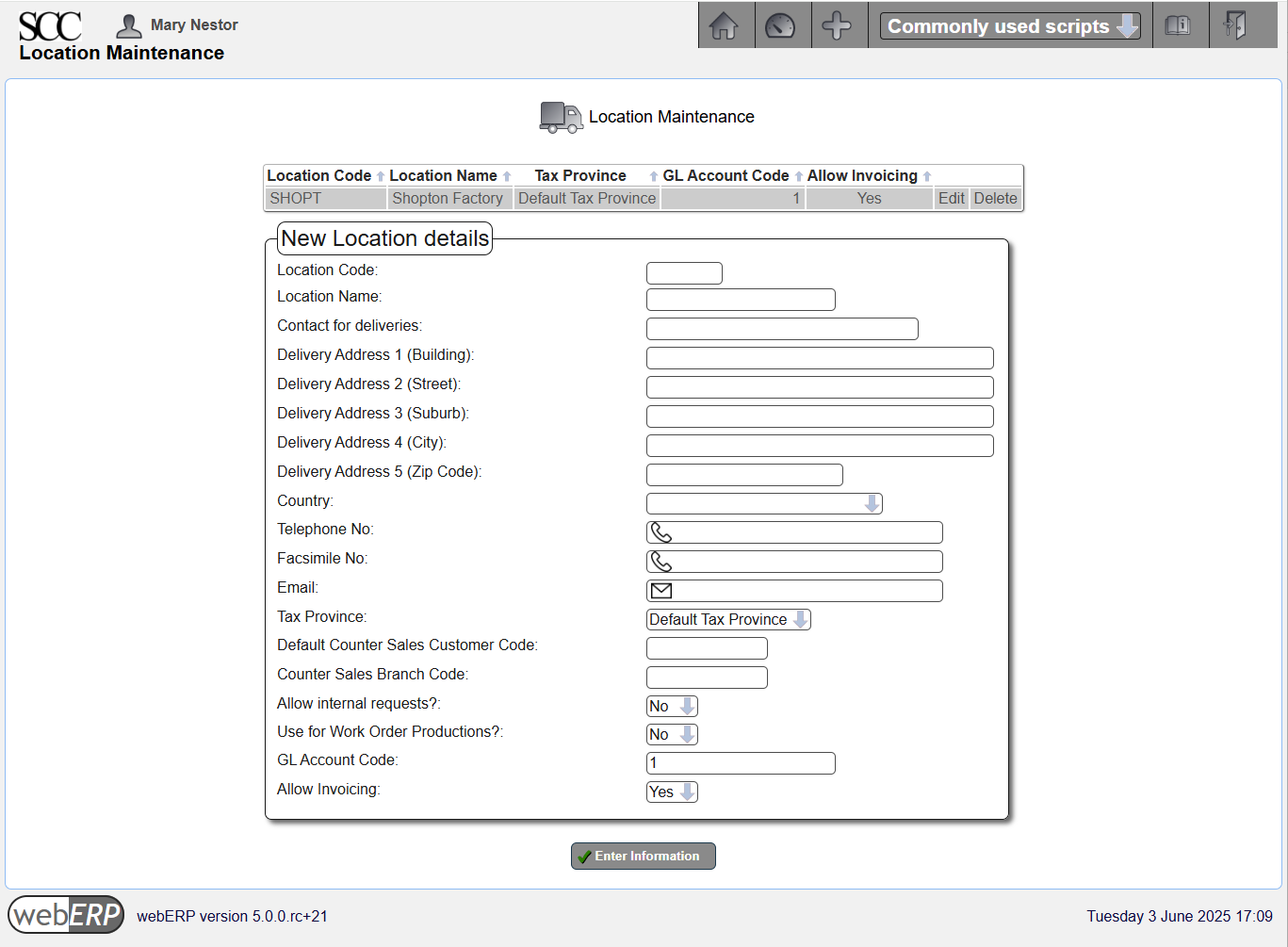
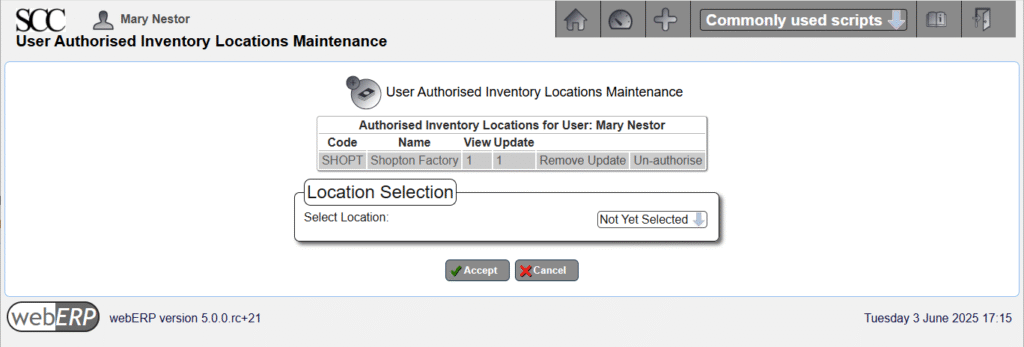
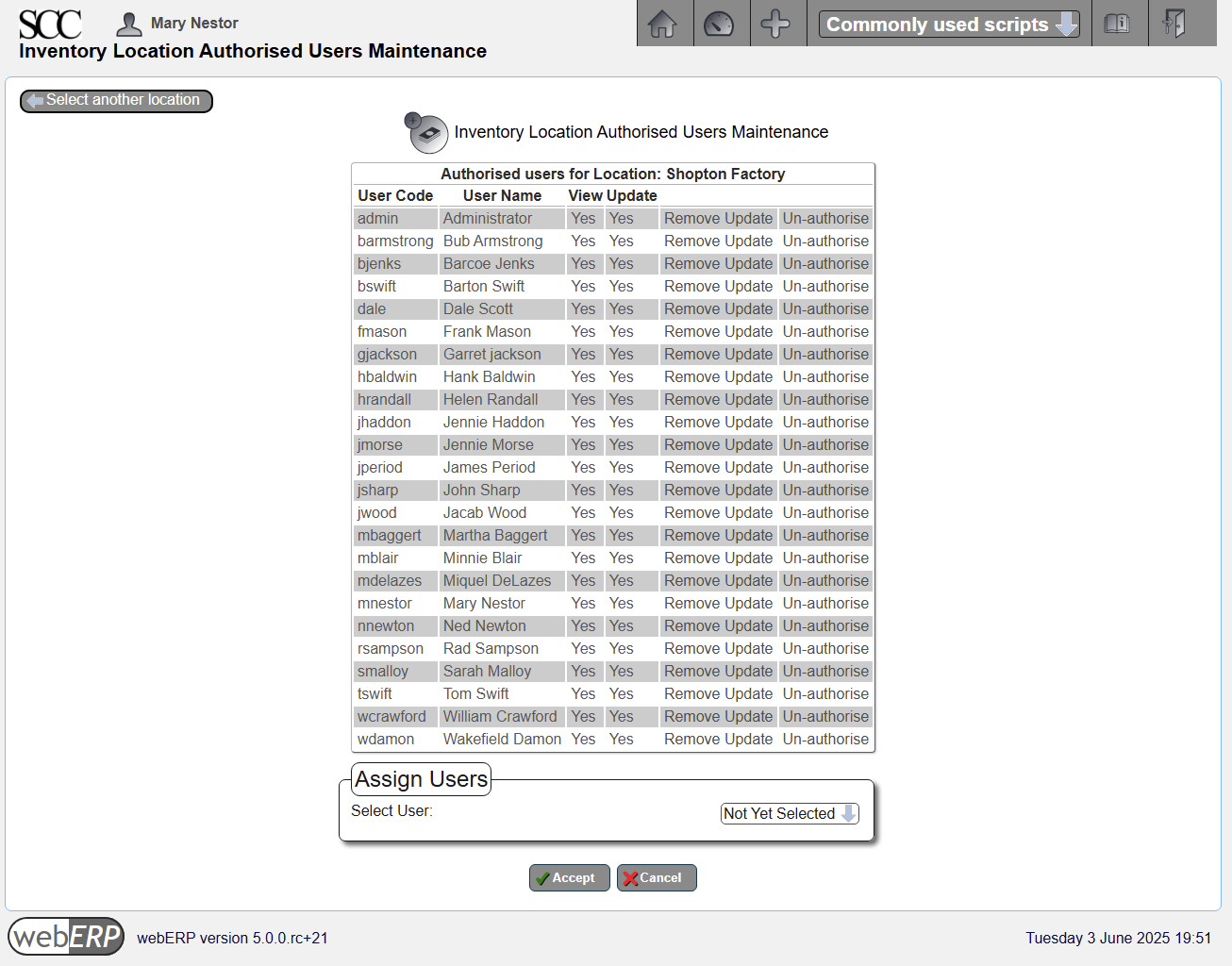
Users must also be individually authorized to operate on an inventory location, either by user,
[Main Menu > Setup > Inventory Setup > User Authorised Inventory Locations Maintenance]
or by location.
[Main Menu > Setup > Inventory Setup > Inventory Location Authorised Users Maintenance]
Bank Accounts
Bank accounts must be defined for recording sales and payment transactions.
Bank accounts were first covered in the Purchase with webERP chapter.
[Main Menu > General Ledger > Maintenance > Bank Accounts]
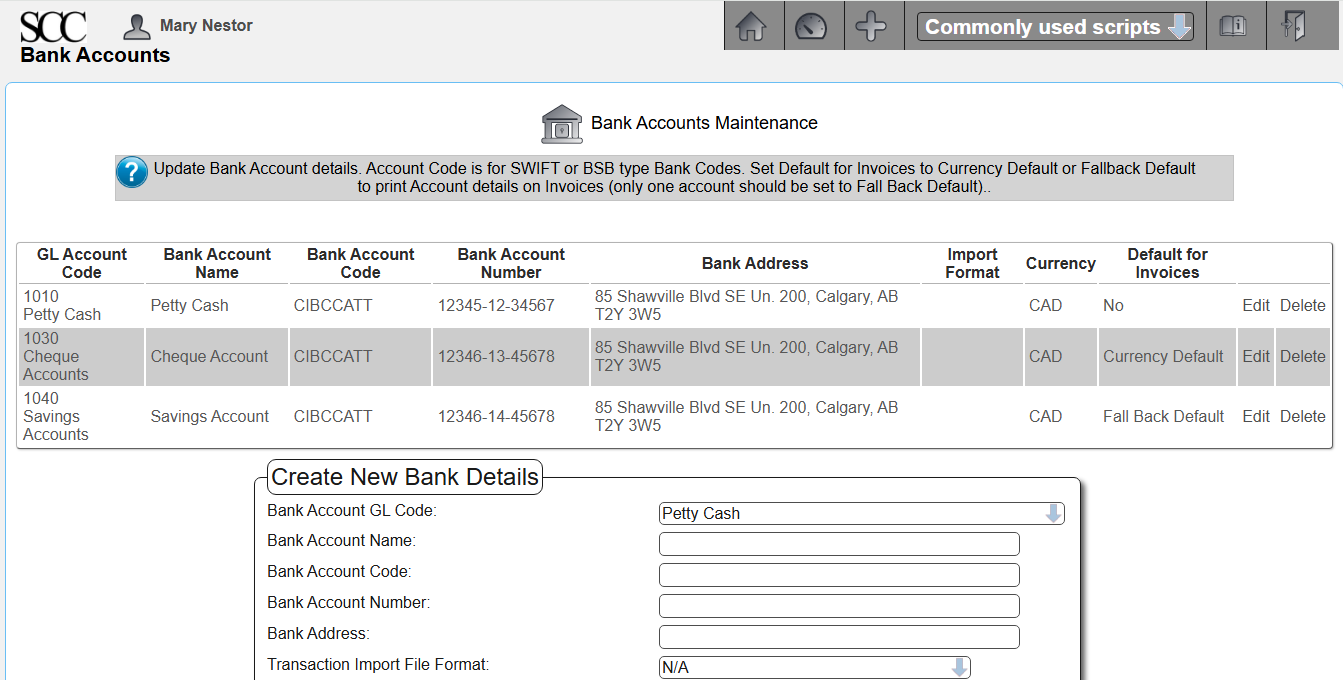
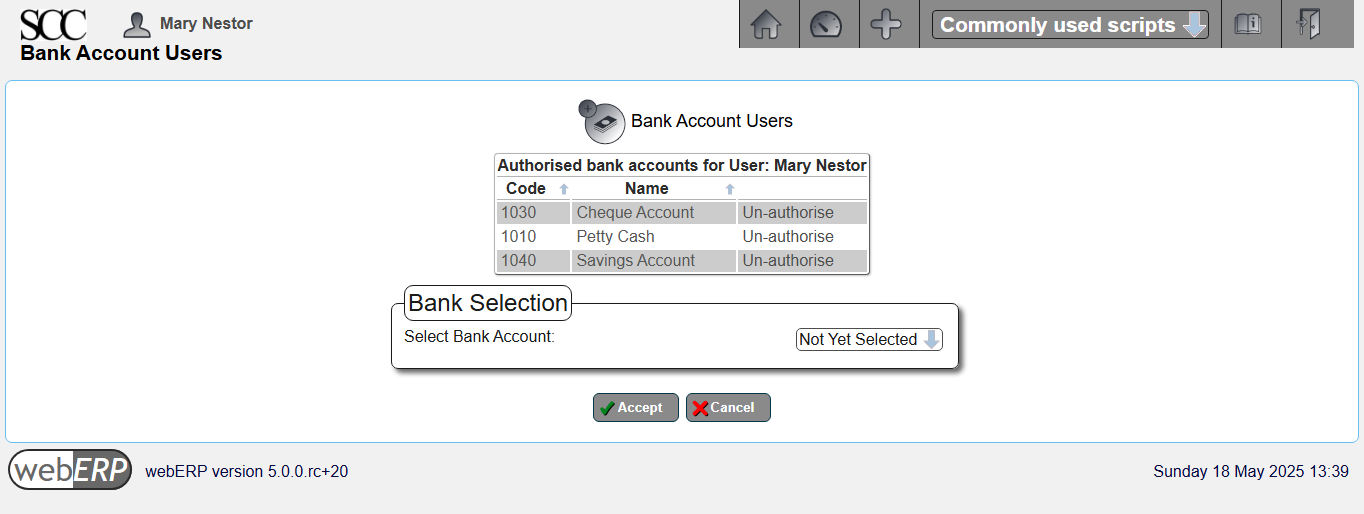
In addition to entering the bank account information, the user must also have authorization to use the bank accounts.
Bank account authorization can be accessed either by user or bank account.
[Main Menu > General Ledger > Maintenance > User Authorized Bank Accounts]
Set Price
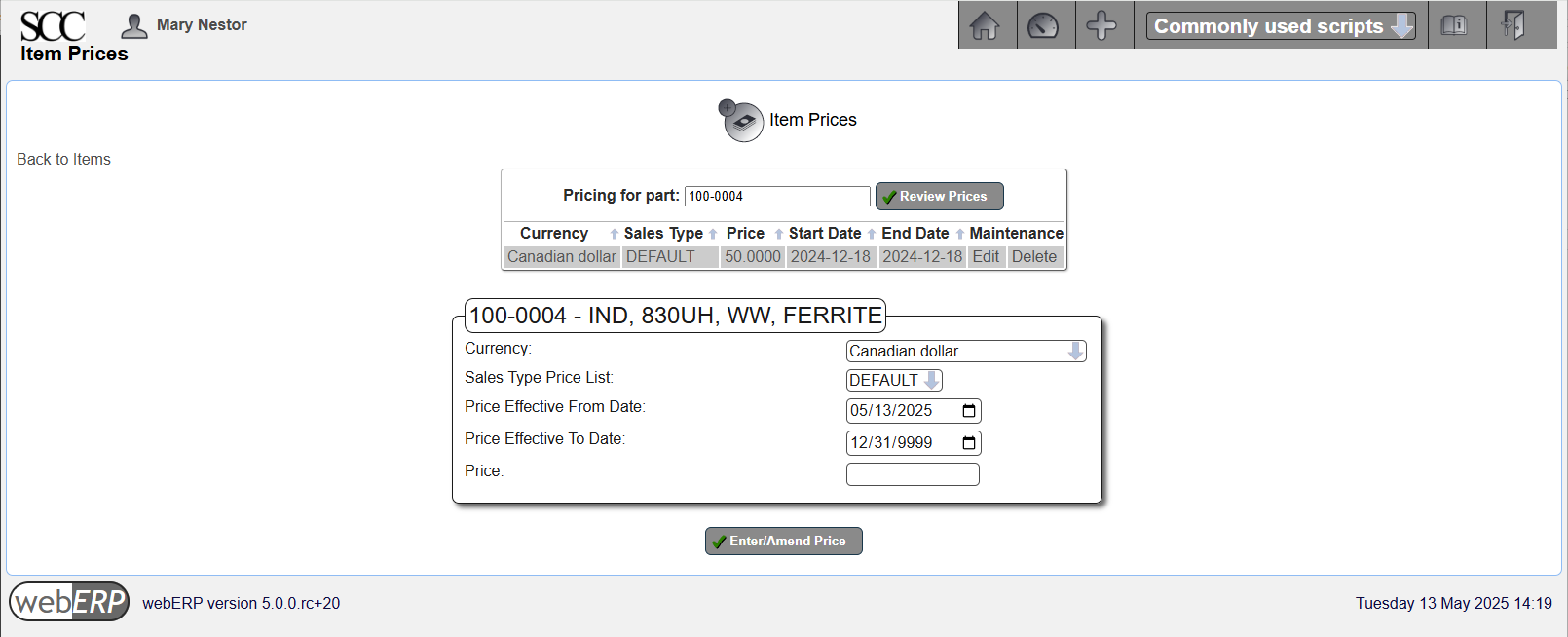
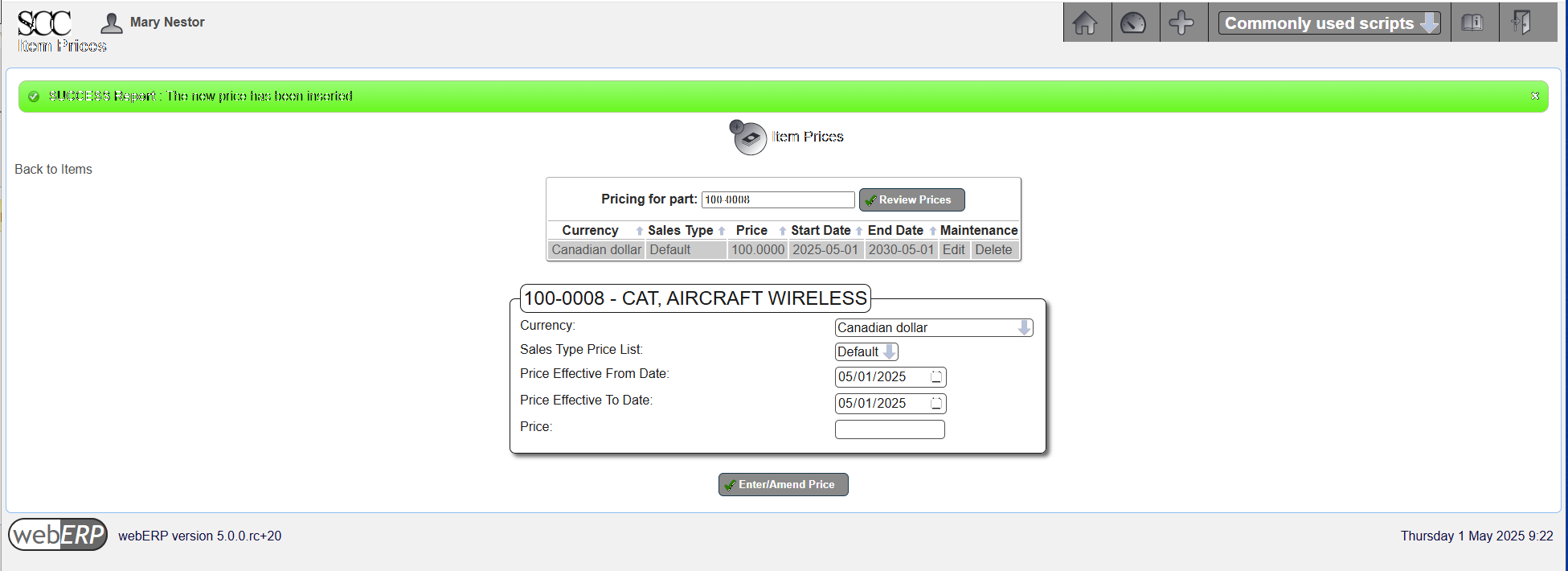
Items to be sold must have a set price. The price may have been set when the item was created (first covered in the Manage Parts, Suppliers and BOMs with webERP chapter), but if not a price can be entered now.
The price can be over-ridden in a sales order.
webERP includes a price list feature that is covered in more detail seperately. TODO include name of chapter.
[Main Menu > Inventory > Maintenance > Select an Item > {select item} > Maintain Pricing]
Create Customer
TODO describe creating customer.
Create Order
TODO describe issuing order.
TODO describe issuing order.
Create Dispatch Note (aka Customer Packing Slip)
A Dispatch Note is an order to ship goods to a customer, and is not a record of goods having been shipped (e.g. the dispatch note may have been lost and the goods never shipped).
TODO describe a dispatch note (aka Customer Packing Slip) and its role.
First, let’s access the Dispatch Note for the order from B&E.

In this case, the Dispatch Note has been previously printed and webERP warns the user to ensure duplicate packing slips are not produced causing more than one shipment to be dispatched.

but if one is persistent, a second packing slip (dispatch note) can still be “printed” (PDF created).

Ship Order
TODO describe shipping order aka transfer custody for an item to the customer.
Confirm Dispatch and Invoice
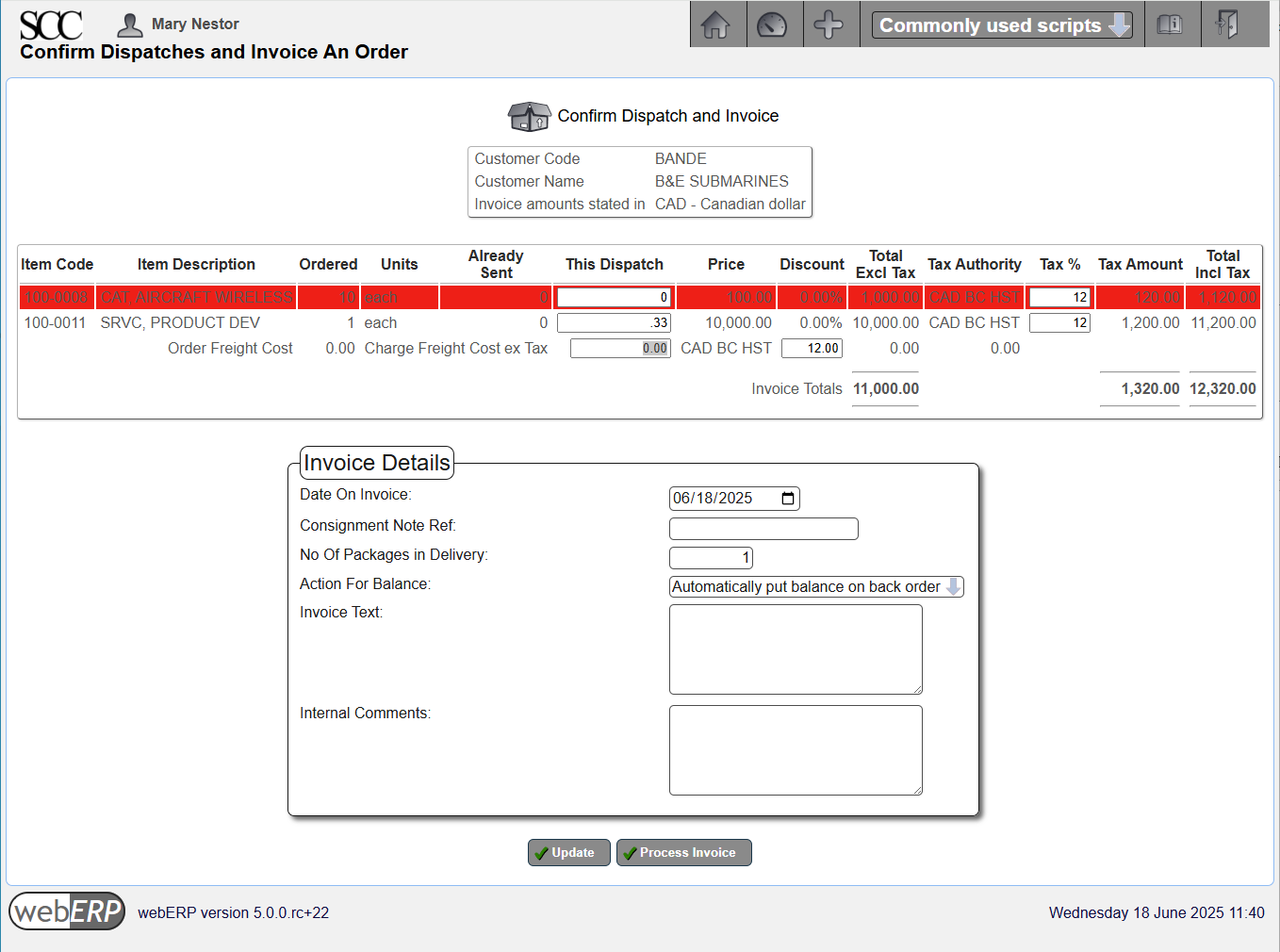
Although a dispatch note (packing slip) has been created, actually shipping the goods (or providing the service) must be confirmed before the customer can be invoiced.
TODO describe dispatching and invoicing.
Receive Payment
TODO receive payment from customer.
Reports
A variety of reports are available for managing and understanding customers orders and paymentds, indicating item demand, open orders, and customers behind in payment.
Reports that you may find useful include:
- Unit Sales for a Period
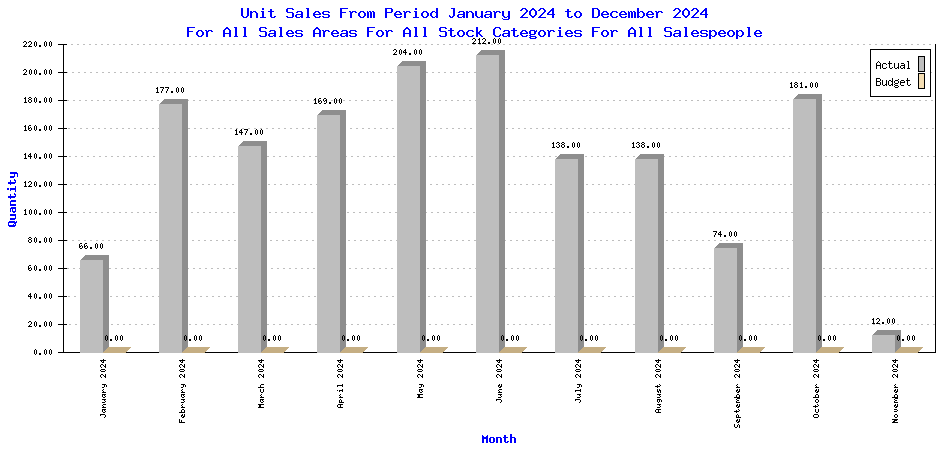
(submitted to webERP project by efeoli (Enrique) to illustrate test results 2024-11-11)
Change Happens
It happens that an order may need to be revised.
- Cancel order in whole or in part for items the customer no longer requires.
- Modify orders to mitigate reduce cost, modify delivery date, add forgotten items, substitute an item for some reason, or a multitude of other possible changes.
Summary
This completes the overview of selling with webERP. In this chapter we started by creating a product and creating initial stock we had on hand. We then created our first customer, issued a quotation to them for the product, and continued the workflow by converting the quotation to a sales order, shipping product the customer, invoicing the customer and finally accepting payment.
In the next chapter, we will take a break from operational use and dive into Accounting and Finance, and see how the buying, manufacturing and selling we’ve been doing is reflected in financial reports.